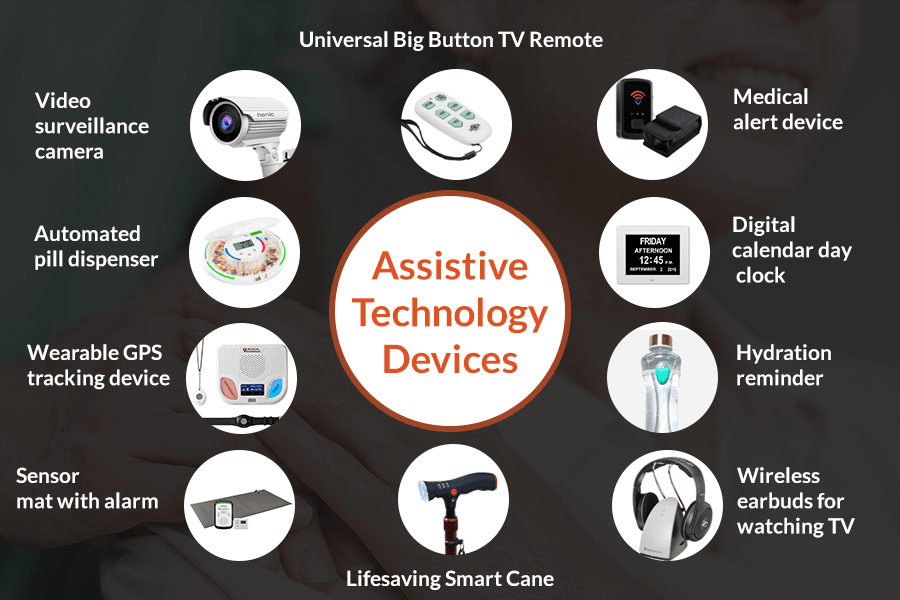
Assistive technology (AT) is the use of devices and software to improve the experience of learning or going about daily life. AT can range from Braille displays and books to text-to speech software or wheelchairs. Assistive technology is ‘any device or system that allows individuals to perform tasks they would otherwise be unable to do or increases the ease and safety with which tasks can be performed’ (World Health Organization, 2004). It is a broad term that refers to any tool, low tech, or high tech, which can be used to enable student learning (Powers, 2022).
Assistive technology can also be used to benefit a wide range of students in the classroom. Assistive technology is an accommodation that allows students to work using their strengths to access the curriculum. For example, a text-to-speech reader allows a child who struggles with reading to access a textbook, learning and using content rather than struggling to read the words on the page. Assistive technology is an accommodation; it is a way to help a student access the curriculum, not a modification or specially designed instruction (A NSW Government website – Education).
One assistive technology learning tool that is being used in todays’ classroom is text-tospeech tools. As an assistive technology, text-to-speech (TTS) software is designed to help children who have difficulties reading standard print. Common print disabilities can include blindness, dyslexia, or any type of visual impairment, learning disability or other physical condition that impedes the ability to read. However, other students can benefit from TTS technology, such as children that have autism, attention deficit hyperactivity disorder (ADHD) or an intellectual disability. The technology works by scanning and then reading the words to the student in a synthesized voice, using many speech sounds that make up words in any given context. With the advances in speech synthesis, TTS technology is more accurate and lifelike than ever (Neese, 2023).
Text-to-speech (TTS) is a very popular assistive technology in which a computer or tablet reads the words on the screen out loud to their use. This technology is popular among students who have difficulties with reading, especially those who struggle with decoding. For example, by presenting the words auditorily, the student can focus on the meaning of words instead of spending all their brain power trying to sound out the words. While this can help students work around their reading difficulties and access the classroom material, this technology does not assist students in developing reading skills (Cunningham & McNaughtan, 2023).
Among the various models of text-to-speech technology are: (1) FastSpeech 2s – an innovative text-to-speech model that generates speech directly from text during inference. (2) Deep Voice 3- an advanced text-to-speech model that offers high quality audio output. (3) Glow TTS – a cutting edge, state-of-the-art system that delivers fast, controllable, and high-quality speech synthesis. (4) Tacotron – a generative text-to-speech model that was developed by researchers at Google. (5) WaveTTS – a text-to-speech architecture that focuses on generating natural-sounding speech with high quality (“Text-to-Speech Models”, n.d.).
The voice in TTS is computer-generated, and reading speed can usually be sped up or slowed down. Voice quality varies, but some voices sound human. There are even computergenerated voices that sound like children speaking. Many TTS tools highlight words as they are read aloud. This allows students to see text and hear it at the same time. Some TTS tools also have a technology called optical character recognition (OCR). OCR allows TTS tools to read text aloud from images. For example, your child could take a photo of a street sign and have the words on the sign turned into radio (Understood, 2018). While this technology allows students to access the classroom material, some researchers have found mixed results on how well students can comprehend the text being read to them (Dalton & Strangman, 2006).
Furthermore, another team of researchers found that text-to-speech technologies did not impact adolescent students’ ability to comprehend the reading, however, the students did report that they value the increased independence that the TTS software gave them. However, one study found that students who have been diagnosed with dyslexia did benefit from the use of TTS software. This team offered students training in TTS software in a small-group format for six weeks and saw improvements in motivation to read, improved comprehension, and improved fluency (White, 2014). Similarly, positive results were found in another study in which TTS was found to be effective in allowing students to access the reading material and was also perceived favorably by the students who used it, especially students in grades 6-8 (Cunningham & McNaughtan, 2023).
The history of text-to-speech (TTS) can be traced back to the 18th and 19th centuries, when early attempts were made to create devices that could synthesize human speech. However, it wasn’t until the late 20th century that TTS technology began to become widespread. One of the earliest TTS systems was developed by John Larry Kelly Jr. and Louis Gerstman at Bell Labs in This system, called the “vocoder,” used a computer to synthesize the song “Daisy Bell.” While the vocoder was a significant breakthrough, it produced speech that was still very robotic and unnatural (Limon, 2023).
In the 1970s, TTS technology began to improve significantly. This was due in part to the development of new techniques for storing and manipulating speech sounds. In 1976, the Kurzweil Reading Machine was introduced, which used a concatenative synthesis technique to produce more natural-sounding speech. The 1980s saw further improvements in TTS technology, with the development of new methods for generating and combining speech sounds. In 1984, the IBM Speech Viewer was released, which was one of the first TTS systems to offer a wide range of voices and speaking styles (Limon, 2023).
The 1990s saw the continued development of TTS technology, with the introduction of new features such as pitch control and intonation. In 1999, Microsoft released Narrator, a screen reader that used TTS technology to read text aloud on Windows computers. The 2000s saw the rise of mobile devices, which led to a renewed interest in TTS technology. In 2007, Apple released the iPhone, which included a TTS system that could be used to read text messages and other content aloud (Limon, 2023).
The 2010s have seen even more dramatic improvements in TTS technology. This is due in part to the development of new artificial intelligence (AI) techniques, which can be used to generate more natural-sounding speech. In 2011, Google released its Text-to-Speech API, which allows developers to create TTS applications that can be used on a variety of platforms. Today, TTS technology is widely used in a variety of applications, including screen readers, e-readers, and voice assistants. As AI techniques continue to improve, TTS technology is likely to become even more widespread in the future (Limon, 2023).
Some types of text-to speech include Natural Reader, Balabolka, Snap & Read, Microsoft Speak, Kurzweil 3000, and Text Help Read and Write.
Natural Reader is a powerful text to speech tool that can help read your documents out loud to you and your students. As a teacher, you can choose from the Natural Reader Online (online web application) and the Natural Reader software, which can be used offline on Windows or Macintosh devices. With Natural Reader, documents can be read in 9 different languages, with over 57 natural voices. By introducing Natural Reader to your students, you can ensure that students who have visual differences or have difficulty reading will have equal access to the same class content as other students. By having the text read to them, Natural Reader can also help students with pronunciation and communication. This resource is great to use in a second language classroom such as French Immersion, Core French, etc. It allows students to creatively engage in language learning. As a note, to utilize the French service to its full extent you will need to purchase the program (“Natural Reader,” n.d.).
Text Help Read & Write is an example of both a text-to-speech and a speech-to-text tool. It is sometimes available to a student or staff member, it’s available to you for free! Text Help Read & Write has many useful tools for reading and writing, including: Highlighting what’s being read out loud while it’s being read, Changing the font size on documents that you want read out loud, Changing the sound of the reading voice, including pitch, volume, and the length of pause between words, Changing word pronunciation with the “say like” function, and Customizing how the text looks when it’s read out loud – you can have it read by word, sentence, text box, or within the document itself (“Text-to-speech”, n.d.).
Balabolka is a Text-To-Speech (TTS) program. All computer voices installed on your system are available to Balabolka. The on-screen text can be saved as an audio file. The program can read the clipboard content, extract text from documents, customize font and background color, and control reading from the system tray or by the global hotkeys. Balabolka supports text file formats: AZW, AZW3, CHM, DjVu, DOC, DOCX, EML, EPUB, FB2, FB3, HTML, LIT, MD, MOBI, ODP, ODS, ODT, PDB, PRC, PDF, PPT, PPTX, RTF, TCR, WPD, XLS, XLSX. The program uses various versions of Microsoft Speech API (SAPI); it allows one to alter a voice’s parameters, including rate and pitch. The user can apply a special substitution list to improve the quality of the voice’s articulation. This feature is useful when you want to change the spelling of words. The rules for pronunciation correction use the syntax of regular expressions. Balabolka can save the synchronized text in external LRC files or MP3 tags inside the audio files. When an audio file is played with players on a computer or modern digital audio players, the text is displayed synchronously (at the same way, as lyrics for songs) (“Balabolka”, n.d.).
Microsoft Speak is another type of text-to-speech tool which is a built-in feature of Word, Outlook, PowerPoint, and OneNote. Students can use Microsoft Speak to have text read aloud in the language of their version of Office. Text-to-speech (TTS) is the ability of your computer to play back written text as spoken words. Depending upon your configuration and installed TTS engines, you can hear most text that appears on your screen in Word, Outlook, PowerPoint, and OneNote. For example, if you’re using the English version of Office, the English TTS engine is automatically installed (Cunningham & McNaughtan, 2023).
Snap & Read is a text-to-speech reading tool that reads both accessible and inaccessible text aloud, levels vocabulary, and translates, delivering usage data to teachers for assessing students’ reading needs individually. It is not accessible in terms of use and navigability for the blind, so if blind navigability is a requirement this tool would not be appropriate. However, Snap & Read does have some very useful features for students with other types of visual impairment and special cognitive needs (Thompson, 2023). These include: (1) Speak- Click and then click where you want to start speaking or highlight the text you want spoken and click. (2) Read Aloud-Listen to text as it’s read aloud across websites, PDFs, and Google Drive. It also reads in other languages. (3) Dynamic Text Leveling-Dynamically adjust the readability of text without changing the meaning. (4) Remove Distractions-improves text readability with the Remove Distractions feature. A single click gets rid of distracting content and adjusts fonts, spacing and number of characters per line creating the best online reading experience possible. The Remove Distractions tool also reformats any web page to read—distraction-free—alongside an open outline (Thompson, 2023).
Kurzweil 3000 is the leader in assistive technology, text-to-speech software literacy solutions serving the needs of the nation’s most challenged students, including individuals with special needs, and learning difficulties, such as dyslexia, attention deficit disorder or those who are English Language Learners for over 30 years. Driven by the vision to serve the needs of the nation’s most challenged learners and enabling students to reach their full potential, Kurzweil provides complete reading, study skill, and writing support for students grades 3-college and adults with academic challenges and/or who are blind or visually impaired (“Assistive Technology”, n.d.).
Kurzweil 3000 is a text-to-speech software that reads text aloud (to users) from most digital and print formats allowing users access to more advanced material while improving word recognition, comprehension, and decoding. Kurzweil is available as a web-based software (Kurzweil Firefly), a downloadable application and an extension that allows information available on the internet to be read aloud. Not only does use of this program benefit all users, but it also significantly improves access for persons with learning issues (learning disabilities) as well as English Language Learners (ELL). Kurzweil has many other features that may help users understand new information and study (highlighting, sticky/text notes, dictionary, translation). In addition, students may use the program to listen to papers they’ve written to hear issues with flow, grammar etc. Finally, this program has a Chrome extension, (Read the Web) that allows users to listen to information they can pull up using the Chrome browser (“Assistive
Technology”, n.d.).
Students and teachers can greatly enhance and improve the teaching and learning process with the use of assistive technology which will lead to increased academic achievement in and out of the classroom.
 Instructional Technology EdS
Leave a comment